Skip to main navigation Skip to main content Skip to page footer

Double-OptIn-Download Form Plugin

In order to display the download request form on your website, proceed as follows:

  1. Create a plugin of the type Double-OptIn-Download - Form at the desired position on your website
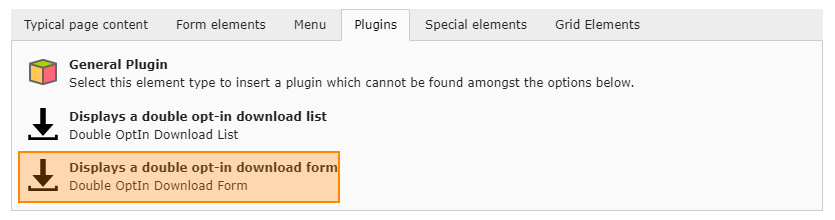
    Plug-In: Form

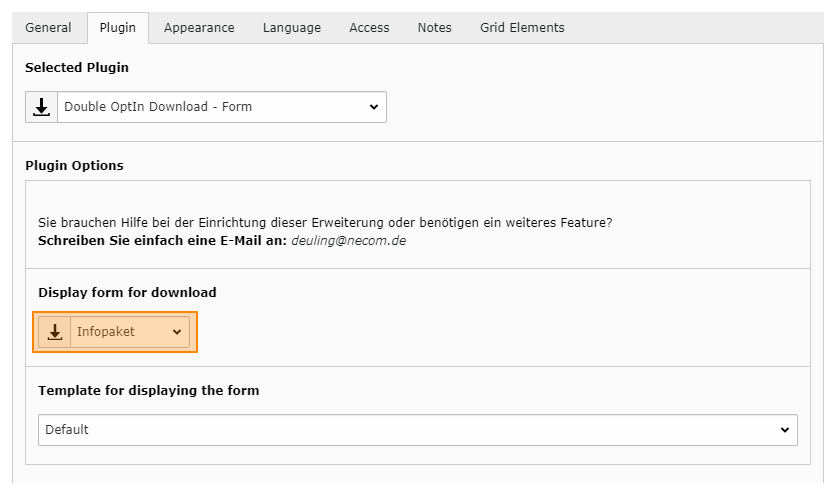
  2. Switch to the Plug-In tab

  3. Select the desired download data record in the Display form for download dropdown box.

  4. Save and close the plugin.

    Plug-In: Form Konfiguration

Documentation

TYPO3 Double-OptIn-Download by coding.ms

Double-Optin-Download for TYPO3 lets you provide downloads through a request form and sends the download link by email after submission. Each link can be used exactly once. Required fields, forms, texts, and recipients can be configured per download collection, while backend management, logging, and email reports help organize and track download requests.

Menu